3Drone · Aerial · Exterior
LOCAL-FIRST MEDIA ASSET MANAGEMENT
Find any shot your organization
has ever captured.
Turn the storage you already own into a searchable visual library.
Your originals stay right where they belong. With you.
Customer-owned storage Local accounts & permissions Browser-based previews
THE COMPLETE PICTURE
On-premisesYour media library 7
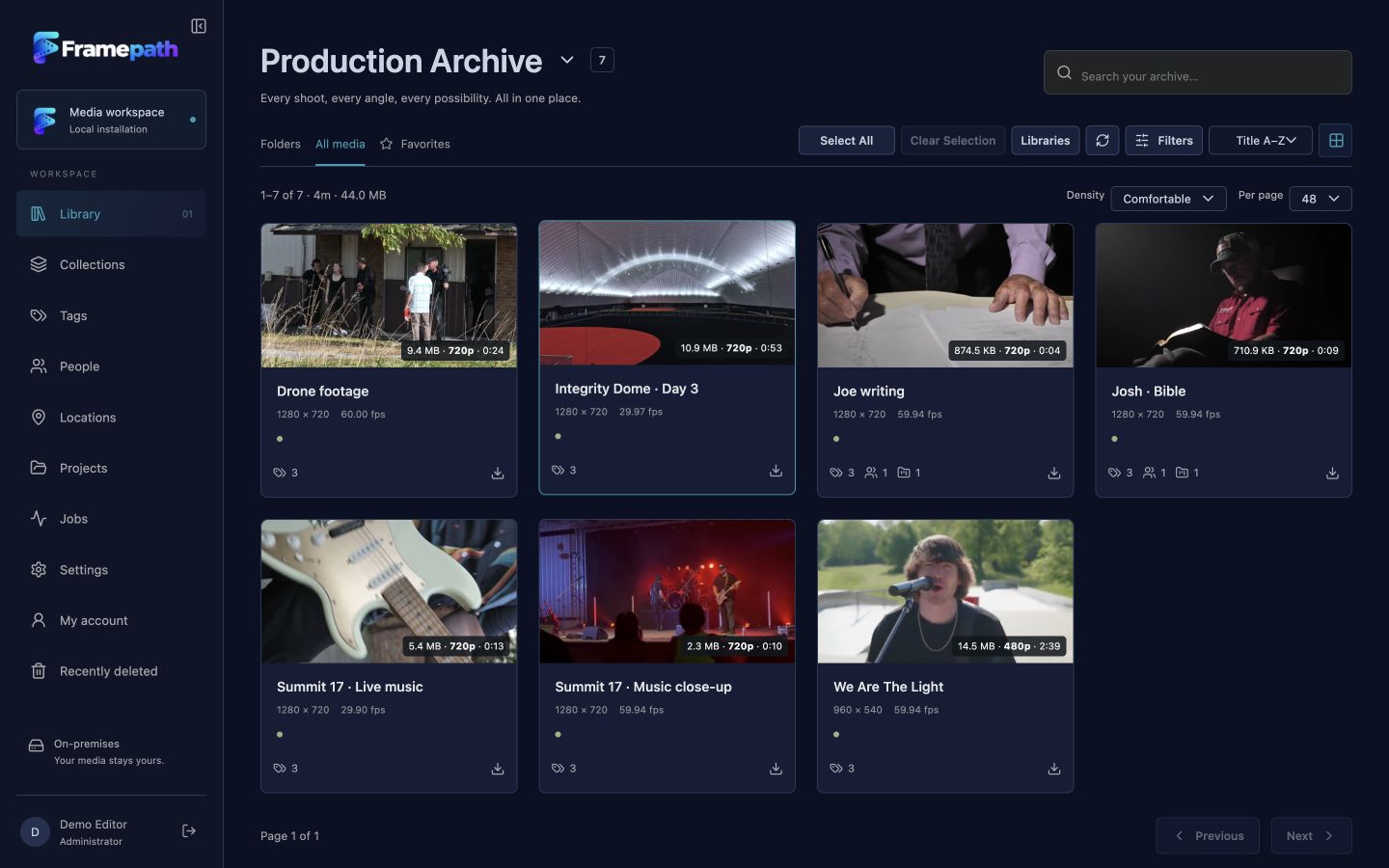
7 example assetsORIGINALS PRESERVED · PROXY PLAYBACK
Search or filter the clips, move across a thumbnail to scrub, then open a clip to play.
YOUR ENTIRE VISUAL HISTORY. ONE CLEAR PICTURE.Active development · see product status
A BETTER HOME FOR WHAT YOU ALREADY OWN
Your footage.
Your storage. Your infrastructure.
Framepath sits on top of your archive. Your media, catalog, previews, and user accounts can all stay on your premises.
CaptureYour cameras & media
Your storageNAS · SAN · local server
FFramepathCatalog + generated previews
Your teamAuthorized browsers
No mandatory cloud migration Originals remain under your control No cloud dependency for local playback
FROM ARCHIVE TO EVERYDAY RESOURCEThe footage is there.
The footage is there.
Now put it to work.
A connected workflow for the people who shoot it, organize it, and need to use it again.
01
Organize
Branded Libraries. Shared context. Tags, People, and Locations are installation-wide; Projects and Collections belong to each Library.
02
Search
Find assets by keyword, filenames, and cataloged metadata. Combine filters to narrow the footage that matters.
03
Preview
Inspect thumbnails, cursor-controlled contact sheets, and browser-friendly proxies before opening camera originals.
04
Retrieve
Authorized users can download originals individually or in ZIP batches, ready for the next production.
FIND THE CONTEXTLess file hunting.
Less file hunting.
More editing.
Camera filenames only tell part of the story. Search titles, descriptions, and transcript words. Connect people and places, then combine precise metadata filters.
- Search cataloged keywords and relationships
- Filter by Library, resolution, dates, and more
- Browse indexed folders without changing originals
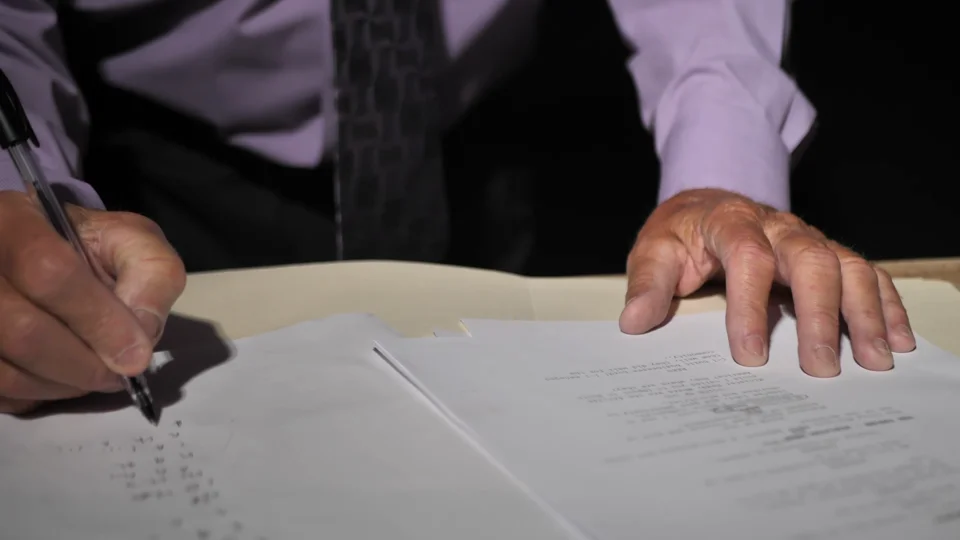
joe_writing_clip.mov0:05
Playable preview · supplied sample footageSEE BEFORE YOU OPENBrowse the story.
Browse the story.
Keep the original.
Move across a video card to inspect representative frames. Open a browser proxy for playback, then retrieve the original when you’re ready to work.
Connect footage to People, Tags, and Projects. A person’s profile brings their associated, authorized media into one view.
Explore media supportOne edit. Many assets.
Select a batch, then add metadata without replacing what’s there. Remove and Overwrite stay explicit, intentional operations.
12 selectedAdd tagsSeason launch +
Separate libraries. Clear boundaries.
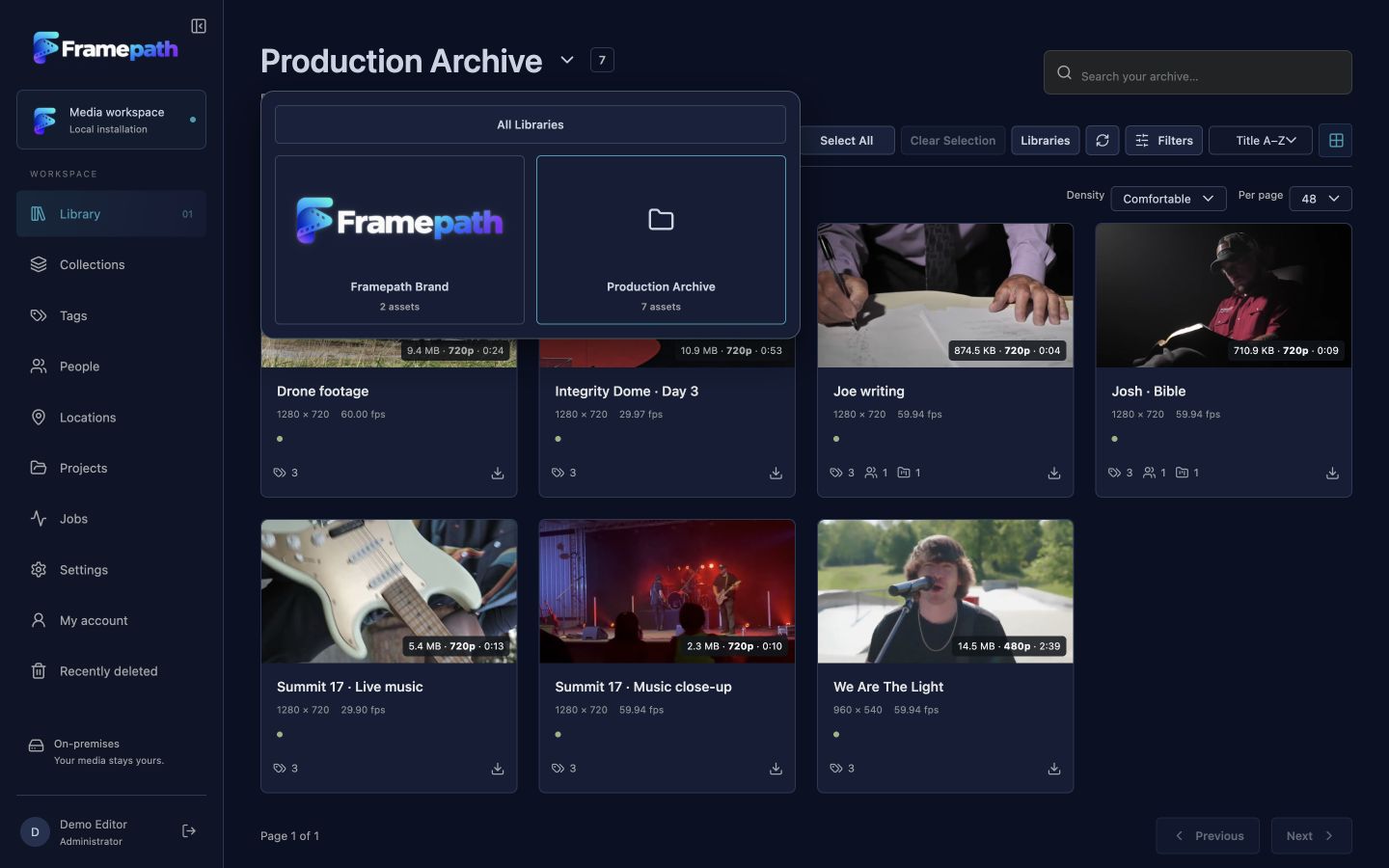
One installation can serve different departments, with Manager, Editor, Viewer, or No Access permissions for each Library.
OPTIONAL LOCAL WHISPER · IMPLEMENTEDFind the moment
Find the moment
by what was said.
Generate a transcript on your own server, search its words, and jump straight to the matching timestamp. Correct a misheard phrase and use the saved transcript as captions.
Real app states, edited into a guided walkthrough. The sample uses locally generated narration over approved footage, actual Whisper tiny.en output, and a saved correction. It is not dialogue from the people on screen or a processing-speed demonstration.
Your server. Your words.
Queue selected audio or video clips after indexing. Inference runs with the installed local Whisper model; acquiring model files needs connectivity.
Go straight to the passage.
Find spoken words in asset keyword search or search a clip’s transcript. Click its timestamp to move playback to that moment.
Better wording. Same timing.
Authorized editors can Save or Cancel passage corrections. Saved wording updates search and optional captions without changing original media.
Local transcription is optional. The library works without AI.
Explore local transcriptionINSIDE FRAMEPATHA little less searching.
A little less searching.
A lot more context.
A real view of the Framepath application, captured from the approved sample library. Enlarge it to explore the interface in detail.
A WORKFLOW THAT RESPECTS YOUR ARCHIVEFrom stored footage
From stored footage
to a useful library.
Connect an existing mounted folder. Scan and index supported media. Generate previews separately. Your originals stay untouched.
01
Connect storage
Use the archive you already have. No forced reorganization.
02
Discover & index
Extract technical metadata and sampled file identity.
03
Generate previews
Thumbnails, video proxies, and card contact sheets.
04
Find & use
Search, inspect, and retrieve through authorized browsers.
VISIBLE BACKGROUND WORKKnow what’s happening.
Know what’s happening.
And what needs attention.
Grouped scan events keep processing history compact. Inspect stages, open per-file logs, retry failures, and cancel jobs when needed.
Library scan · SportsExample event
Generated media Stage details
Metadata discovery Complete
Thumbnails Complete
Video proxies Processing
Card contact sheets Queued
Illustrative queue · progress reflects real tasks in the product.
SHARED CONTEXT. CLEAR ACCESS.One identity.
One identity.
The right library.
A production team and an events team can share a person or tag profile while seeing only media their Library role allows. Give each Library its own logo and label color; keep Projects and Collections within it.
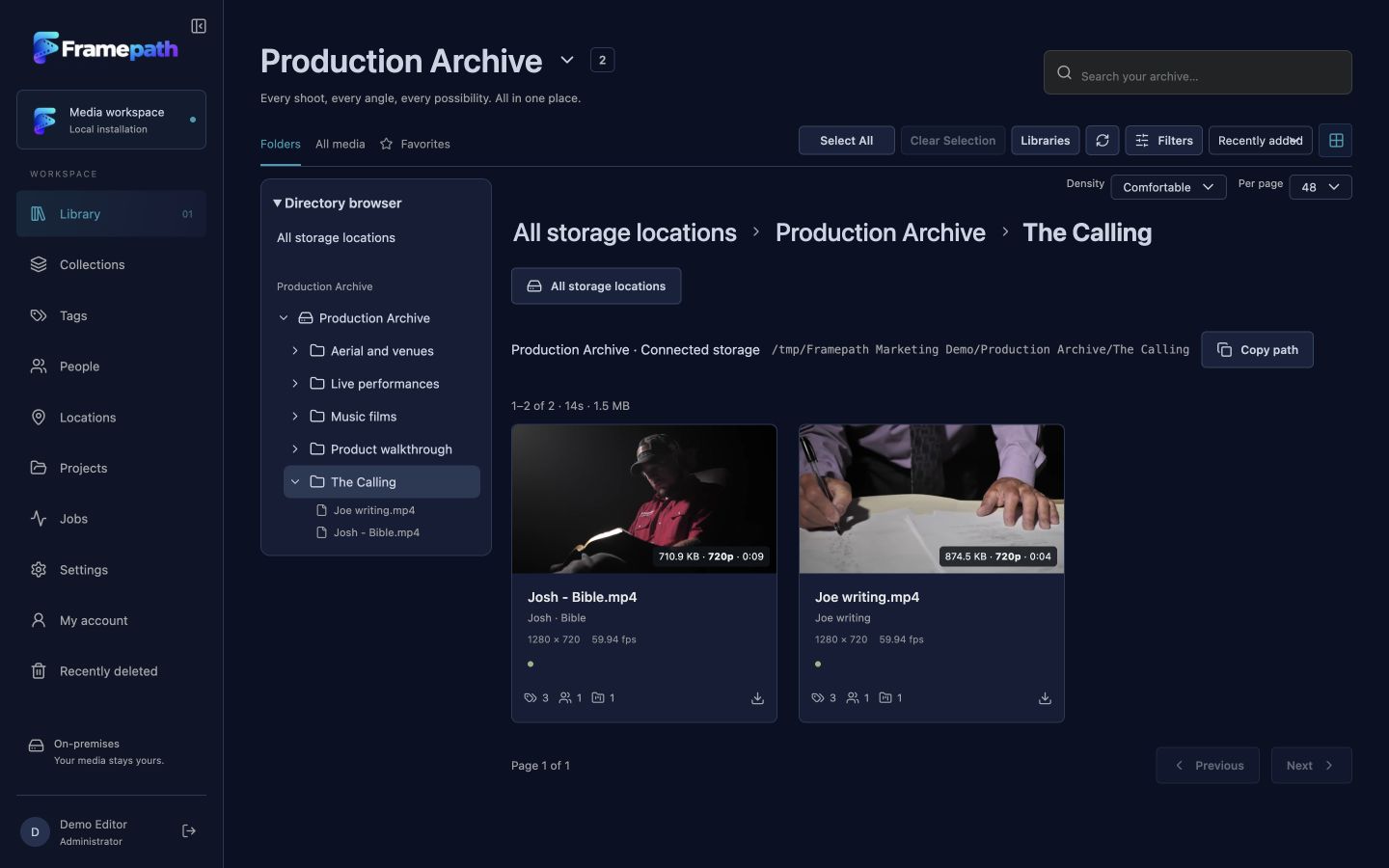
Browse the folders you already know, with clickable paths and an indexed directory tree. Storage is mounted on your server; a browser picker does not expose a remote server’s filesystem.
More possibilities for your archive.
Future updates are planned to bring automatic shot detection, visual search, verified media ingest, and simpler remote-access administration. These capabilities are on the roadmap, with no release dates announced.
BUILT FOR YOUR STORAGE, NOT OURSYour archive.
Your archive.
Your rules.
Run Framepath on existing infrastructure, or discuss an Oddform-provisioned system. Hardware from Oddform is optional.
YOUR INFRASTRUCTURE
Original mediaCustomer-owned storage
+Framepath installationCatalog · previews · local accounts
Authorized teamBrowser access
No mandatory upload to Oddform. No central Oddform server for local logins or playback.
LOCAL ACCESS
The shortest path to your footage.
Install Framepath on your PC or server, connect mounted storage, and let authorized users work through browsers on your local network. Local logins and playback have no Oddform cloud dependency.
- Customer-owned originals, catalog & previews
- Local accounts and library permissions
- Existing NAS, SAN or mounted server storage
Your archive deserves
real boundaries.
Local authentication and server-side Library authorization protect catalog data, generated previews, and downloads. Generated media stays separate from read-only originals.
Remote HTTPS requires appropriate network and TLS configuration. Back up originals, the database, and configuration according to your organization’s policies.
Read deployment & security notesFOR TEAMS WITH A VISUAL HISTORYWhatever you capture,
Whatever you capture,
make it count.
A living archive for the next edit, campaign, season, or story.
InterviewsB-rollArchive
Your archive has another story in it.
Rediscover historical footage, reusable B-roll, and interview material. Search the context your team has cataloged, preview the clip, and retrieve the camera original.
Discuss your workflowSOFTWARE, DEPLOYMENT & OPTIONAL SERVICESThe right fit for
The right fit for
your infrastructure.
Tell us about your archive, hardware, and team. We’ll discuss the right deployment and provide a quote tailored to your organization.
 Core
Self-hosted media management
A locally operating library on the storage you control.
- Catalog, metadata & keyword search
- Previews & originals retrieval
- Local accounts & Library permissions
- Your own or quoted hardware
Discuss hardware, installation, and support requirements with Oddform. Back up original media according to your organization’s policies.
Is Framepath cloud storage?+
No. Framepath is software installed on your infrastructure. Original media, PostgreSQL catalog, generated previews, and user accounts can remain on site.
Can we use our existing NAS or server?+
Yes, Framepath indexes configured mounted storage. Deployment needs readable media storage, a server running the application and database, and separate space for generated media. Oddform hardware is optional.
Does Framepath need AI to work?+
No. Browsing, metadata, keyword search, previews, local accounts, and original retrieval form the core workflow. Optional local Whisper transcription is implemented.
Can people work remotely?+
With an appropriately configured direct HTTPS path, authorized browsers can connect to your installation. Your IT team must configure reachability, firewall rules, TLS, and a reverse proxy.
What is available today?+
The active-development application has storage scanning, a searchable catalog, generated previews, metadata, library permissions, bulk editing, original downloads, and optional local Whisper with transcript search, timestamp seeking, corrections, and captions.
LET’S TALK ABOUT YOUR ARCHIVEYour media library
Your media library
already exists.
Make it searchable.
Interested in piloting Framepath? Tell us where your footage lives and what your team needs to find.
Contact Oddform directly Built by Oddform.
Designed for your organization.